A Better Penman's PDF Parser: Privacy-preserving conversion of Handwritten PDFs through Apple Shortcuts & Ollama
Or, 'Au thous swain'? Begone, Mathpix Misspellings!
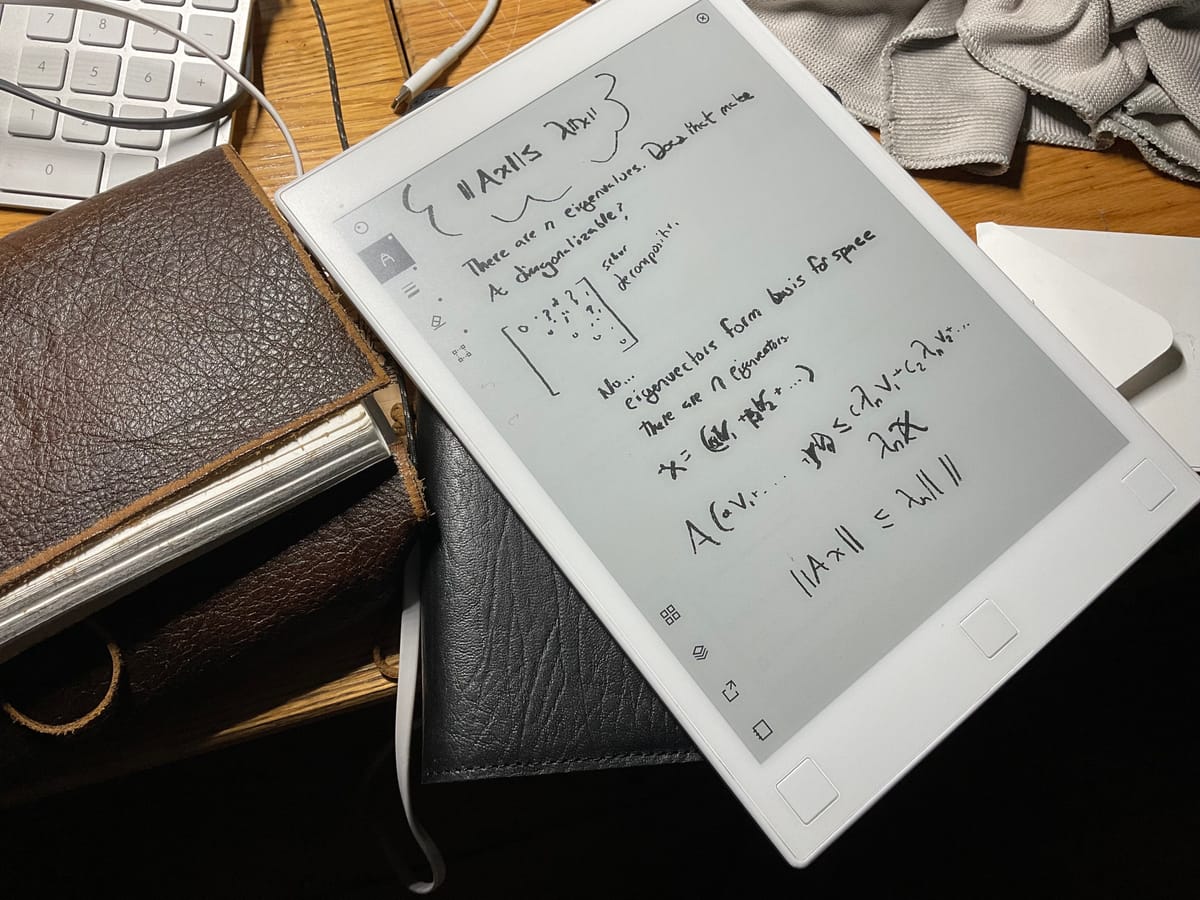
Last May, we published “A Marriage between Handwritten Notes and Obsidian” — a rather baroque automation for auto-transcribing handwritten PDFs (e.g. from an E-ink tablet) into glorious markdown using Mathpix’s API. We, i.e. the expansive and pseudonymous Riddle Team, had been experimenting with this automation for much of the preceding academic year, and one member credited it with helping him write two theses in under a month.
Later that month, OpenAI released GPT-4o — the first genuinely multimodal LLM. Many soon observed that GPT-4o (and later Claude 3.5 Sonnet and Gemini) excelled at reading handwriting.
In our testing, we found it nearly as good at transcribing equations as MathPix, and much better at transcribing handwriting.
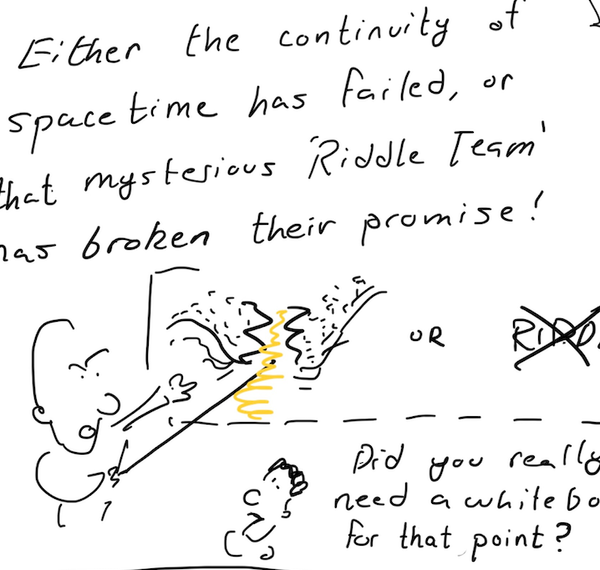
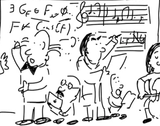
(For me, Mathpix always veered in and out of coherence depending on how hurriedly I happened to be writing. For example, in our demo text, Mathpix transcribed: “students who take handwritten notes remember more than their laptop-wielding peers. Many au thous swain by a handwritten first craft.”
What was that supposed to be? Apologies if many of you were thous swain!)
But using any consumer LLM for handwriting transcription is cumbersome. If you give ChatGPT a multi-page handwritten PDF, some internal OCR system takes over and it complains that ‘the pages are blank… there’s no text to transcribe’. Instead, you have to feed it images of the pages one by one, then knit together the transcriptions. That’s no way to live!
So here’s an automation for you: an updated ‘Penman’s PDF Parser’ shortcut that turns multipage handwritten PDFs into notes in your favorite app. It’s a really simple shortcut, but with a few niceties. Below you’ll find a short tutorial – here are the highlights:
- It’s just a shortcut – you can run it from Mac, iPad or iPhone. For example, if you take notes in Goodnotes on the iPad but want to convert them to text in Craft, you can do that from the share menu. If you want Hazel to run it automatically on notes from an E-ink tablet, you can do that too.
- It can work with local LLMs for private transcription! No more running handwritten journal entries through commercial APIs (if one were ever so foolish as to do this...)
One note: the previous automation could excerpt diagrams and sketches into markdown images using Mathpix. LLMs can’t yet do this, sadly. I’m tinkering with ways to get the best of both worlds and might post an update soon.
Just Bring your own key…
To get started, decide which LLM provider to use: Anthropic, OpenAI, or Ollama, and download the corresponding shortcut.
| Provider | Link |
|---|---|
| Anthropic | Shortcut link |
| OpenAI | Shortcut link |
| Ollama (local) | Shortcut link |
When you import the shortcut, add the corresponding API Key.
I use Anthropic instead of OpenAI – in some fuzzy subjective sense, I’ve found the transcriptions more reliable – and Claude always uses standard markdown latex delimiters. But GPT-4.5, though a flop in many ways, does seem genuinely more capable of reading messy handwriting...
...or use a local model –
Notwithstanding the above, if you don’t relish the thought of sending your innermost handwritten thoughts for processing/storage/training by giant tech companies with a history of doing shady things with data, you’re in luck: by the miracle of ‘scaling’, LLMs small enough to run on your laptop can now do fairly good handwriting transcription!
To do this, just download and install Ollama, a program that makes it easy to download and run open-source language models on Mac.
Then open Terminal and run one of the below lines to download a vision model. Google's recent Gemma series is excellent, and comes in a number of sizes:
ollama pull gemma3:4b  # on a Macbook Air (uses 4GB RAM)
ollama pull gemma3:12b # on a Macbook Pro (uses 8GB RAM)
ollama pull gemma3:27b # on a beefy Macbook Pro (uses 16GB RAM)
On importing the Ollama shortcut above, supply your chosen model name (e.g. 'gemma3:12b').
Even the largest Gemma model isn't as accurate as the Big models; but, especially if you have fairly neat handwriting, it's easily good enough – and certainly better than our previous carefully-vetted recommendation, Mathpix! What you lose in the occasional typo and hallucination you gain in the peace of mind that comes from not having one's private notes sent across the web to some corporate behemoth.
- add your own notes app:
By default, the handwriting and PDFs are saved to Apple Notes, since that’s guaranteed to be installed. To save to Craft, Bear or Obsidian instead, just scroll down to the bottom of the shortcut and replace the Apple Notes actions with the corresponding actions for your chosen app
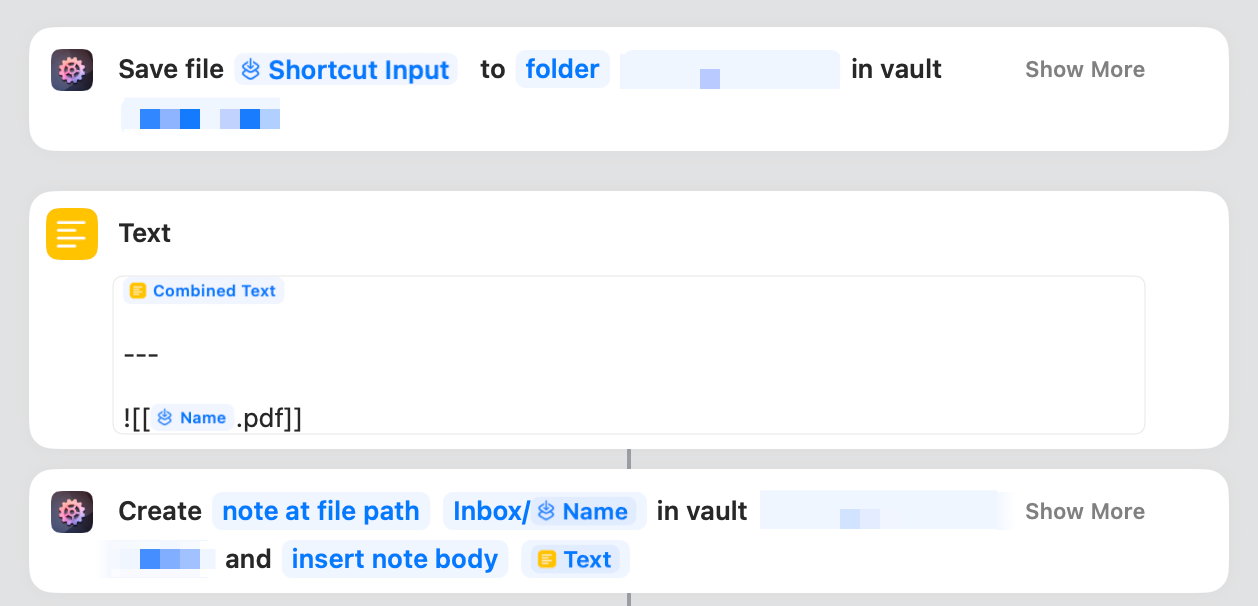
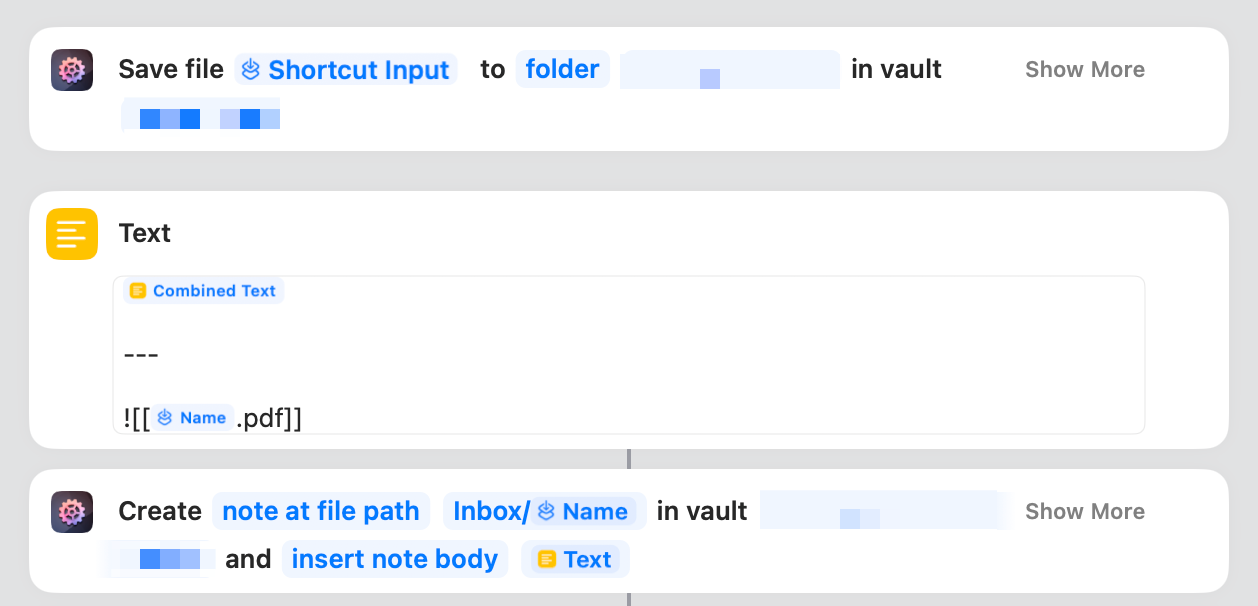
For Obsidian, which lacks shortcuts support, you can either piece together your own file-based shortcuts, or use one from Actions for Obsidian. With that, you can even save the PDF to your vault for concurrent reference, like this:
Tips & Tricks
LLM's complaining about blank images?
Ensure the PDFs you supply are bitmapped, not vectorized. ReMarkable creates bitmapped PDFs by default, but Book likes its vectors. Go into the note export settings of whatever is exporting notes, and hunt for this toggle.
Why? Because Shortcuts, like so much Apple tech, is magical when it works but inscrutable when it doesn't...
Why is Shortcuts so Annoying?
A familiar refrain! Before the shortcut starts working correctly, it will prompt you (some indeterminate number of times) whether the shortcut is allowed to make URL requests. Just keep clicking that button labeled "Always Allow". It will eventually work.
Automate with Hazel
So far, you have a shortcut that can be triggered on any PDF in the share menu or in the Finder. This is great if you occasionally finish notebooks (e.g. in Goodnotes or the reMarkable) and have the stoic resolve to manually run them through this shortcut.
I prefer the automatic approach: keep a ‘Notes Inbox‘ which syncs in my latest notes from the Boox, and have any PDF in this folder automatically transcribed with Hazel. This lets me, e.g., take a note for each lecture on my E-ink tablet and have it automatically converted into a markdown file in my Obsidian inbox for review.
For details, see ”A Marriage Between Handwritten Notes and Obsidian”.
Egad! Look at all of these tools!
Since Riddle published the original 'Penman's PDF Parser' shortcut, there's been something of a renaissance in handwriting OCR tools – though propelled less, one suspects, by the titanic success of our blogpost than by the piles of money being thrown at anyone who can scrape yet more structured text from the web to feed LLMs.
As such, most tools are focused on the broader problem of 'unstructured text & diagram extraction' from textbooks and academic articles, with (typeset) multi-column layouts and randomly interspersed figures. But, thanks to their LLM components, they're reputed to be quite good at handwriting conversion:
https://github.com/VikParuchuri/markerf3067f15516e662643eae13fc1040e97c67edc3d

In the coming months, we might play around with this – perhaps run some informal handwriting conversion benchmark to compare various models.